
Key Takeaways
Use inverter apps for easy and accessible solar monitoring.
Understand kW and kWh metrics to optimise solar efficiency.
Regular checks ensure your panels are functioning properly.
Key Answer
To monitor the electricity generated by your solar panels, use inverter apps, third-party software, or open-source solutions. These tools help track output, efficiency, and system health.
Are you looking to make the most out of your solar panels in Ballarat? Monitoring the electricity generated by your solar panels is essential for optimising performance and ensuring your system functions efficiently. With the right tools and apps, you can track your system’s output, identify potential issues, and even save on energy bills.
In this guide, we’ll explore various ways you can keep an eye on your solar panel production, so you can enjoy both peace of mind and potential cost savings.
How Can I Check How Much Electricity My Solar Panels Generate?
Checking how much electricity your solar panels generate is simpler than you might think. Most systems come equipped with an inverter, which is the main piece of kit you’ll need. The inverter converts the DC electricity produced by your panels into AC electricity for use in your home. Many modern inverters offer built-in monitoring capabilities that allow you to see real-time data on your energy production.
Alternatively, you can utilise third-party monitoring systems that provide more detailed insights. These systems often include additional hardware and software that connect to your existing setup, giving you a more comprehensive view of your solar energy production. Whether you’re a data enthusiast or just want to keep things simple, there’s a solution that will suit your needs.
How to Monitor Solar Panels Using an Inverter App
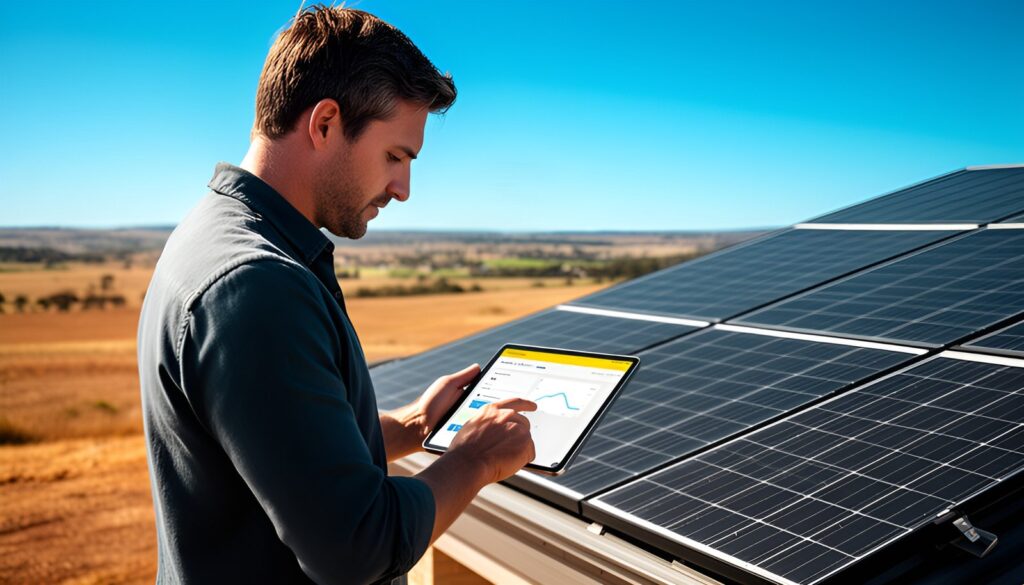
Using an inverter app is one of the easiest ways to keep tabs on your solar panels. Most inverters today come with companion apps that you can download on your smartphone or tablet. Once installed, these apps provide you with all the necessary information about your solar production, including current output, historical data, and alerts for any potential issues.
To set up, you’ll first need to connect your inverter to your home’s Wi-Fi network. Follow the manufacturer’s instructions to pair the inverter with the app. Once connected, you can access your data anywhere, anytime. Popular inverter apps such as SolarEdge and Fronius are highly rated for their user-friendly interfaces and comprehensive reporting features.
With these tools, you can easily keep track of your system’s performance and make informed decisions about your energy usage.
What Do the Numbers on Your Solar Monitoring App Mean?
Understanding the numbers on your solar monitoring app can be a bit confusing at first, but it’s crucial for getting the most out of your system. You’ll typically see readings in kilowatts (kW) and kilowatt-hours (kWh). Kilowatts measure the rate of electricity generation at a specific moment, while kilowatt-hours represent the total amount of energy produced over time.
Your app may also display data on energy usage, showing you how much of the generated energy is being consumed by your household and how much is being exported to the grid. This insight can help you optimise your energy consumption patterns, ensuring that you’re making the most of the electricity produced by your solar panels in Ballarat.
How Much Electricity Should Solar Panels in Ballarat Generate?
The amount of electricity your solar panels generate can vary significantly based on several factors, including the size of your system, the angle and orientation of your panels, and the weather conditions in Ballarat. On average, a typical 5kW system in Ballarat can generate between 18 and 25 kWh per day. However, this output may fluctuate with the seasons; expect more production in summer and less in winter due to changes in daylight hours and sun intensity.
Understanding these variations can help you set realistic expectations and make any necessary adjustments to your energy consumption. If your system consistently underperforms, it might be worth getting a professional check-up to ensure everything is running smoothly.
How Can You Tell if Your Solar Panels Are Working Properly?
Keeping an eye on your solar panel’s performance is key to long-term efficiency. Regularly checking your monitoring app for drops in output can alert you to potential issues early on. Look out for alerts or notifications from your app, such as warnings about ‘clipping’ or abnormal voltage levels, which could indicate a problem.
Physical inspections are also important. Keep your panels clean and free of debris, and regularly check for signs of damage or shading issues. If you notice anything unusual or your app indicates a problem, it’s advisable to get a professional technician to assess your system.
Can You Monitor Solar Usage, Savings and Grid Exports?
Yes, you can monitor not only the production but also how effectively you are utilising that energy. Many inverter apps and third-party systems offer features that track your solar usage, savings, and grid exports. This information helps you understand how much energy you’re consuming versus what you’re exporting back to the grid, which can be valuable in regions with feed-in tariffs.
Being able to see your savings directly translates to smarter energy decisions, allowing you to schedule high-energy tasks when your solar output is at its peak, maximising both savings and efficiency.
How Can You Get More Value from Solar Monitoring Data?
Making the most of your solar monitoring data is all about understanding and acting on the insights provided. Start by identifying peak production times and scheduling heavy electricity usage during these periods. You can also use the data to evaluate whether a battery system might be beneficial to store excess energy for later use.
Engaging with your solar data can also highlight opportunities for further energy efficiency improvements within your home. Consider upgrading appliances to more energy-efficient models or investing in smart home technology that automates energy savings based on your solar production data.
Keep Your Solar Panels Performing at Their Best
Keeping your solar panels in Ballarat performing optimally requires regular monitoring and a proactive approach to maintenance. By leveraging the power of monitoring apps and understanding the data they provide, you can ensure your system is running efficiently and cost-effectively.
For a more personalised assessment or to explore potential upgrades, consider reaching out for a tailored quote from Ballarat Solar Company (BSC). This way, you can maximise the benefits of your solar investment and enjoy reliable, sustainable energy for years to come.
Frequently Asked Questions
Using inverter apps is one of the most effective ways to monitor solar panels as they offer real-time data and alerts directly on your smartphone or tablet.
Yes, many monitoring systems allow you to track your solar usage, savings, and the energy you export back to the grid, helping you optimise your energy consumption.
Typically, a 5kW system in Ballarat produces between 18 to 25 kWh per day, though this can vary with seasons and weather conditions.
Check your monitoring app for alerts or unusual data, conduct a physical inspection, and if needed, consult a professional technician for a thorough assessment.
Third-party systems can offer more detailed insights and reporting capabilities, which might be beneficial if you require more in-depth analysis than what basic inverter apps provide.